
Bring Your School Into the Future.
Register your school for FuTech Champ 2026 and give your students an opportunity to participate in a future-ready technology competition.

Connect your institution with future-ready technology programmes.
Hands-on exposure to AI, coding, robotics and innovation.
Nominate students for the national technology competition.
Celebrate participation and achievement.
Register Your School
Fill in the form below to contact our team for registration support and guidance.
Keep your official school details, principal/coordinator information and required documents ready while filling the form.
Complete These 5 Steps
Follow the process from beginning to final acknowledgement.
Complete Your School Registration in 5 Simple Steps
Please complete each step carefully to ensure smooth participation of your students in FuTech Champ 2026.
Fill the Form
Fill the School Registration Form above so our team can contact you and provide registration support.
Fill FormDownload Excel
Download the official FuTech Champ 2026 Entry Form and prepare the participating student details.
Download ExcelCirculate Information
Download the Poster, Video and Social Media material and circulate the information in participating classes.
Get MediaMake Payment
Make the required payment through UPI or NEFT using the official payment details below.
Payment DetailsSubmit Details
Email the completed Excel sheet and WhatsApp the team to receive acknowledgement and receipt.
Final SubmissionDownload Registration & Promotional Materials
Everything you need to prepare student entries and communicate FuTech Champ 2026 to your students.
FuTech Champ 2026 Entry Form
Download the official Excel format and enter the complete details of all participating students.
⬇ Download Excel FormatFuTech Champ Poster
Download the official student circular/poster for display on school notice boards and circulation among students.
⬇ Download PosterFuTech Champ Video
Access the official FuTech Champ 2026 promotional video and share it with students through suitable school communication channels.
▶ Watch VideoSocial Media Video
Download or share the promotional social media video on WhatsApp, Facebook, Instagram and other appropriate school channels.
▶ Open Social Media VideoComplete Downloads Page
Visit the complete Downloads page for all available FuTech Champ 2026 registration, promotional and participation resources.
Open Downloads PageDownload Help
Having difficulty accessing any registration file or promotional material? Contact the school support team.
📞 Call 9599669804Make Payment Through UPI or NEFT
After preparing the student participation details, make the required payment using the UPI QR code or the NEFT bank details below.
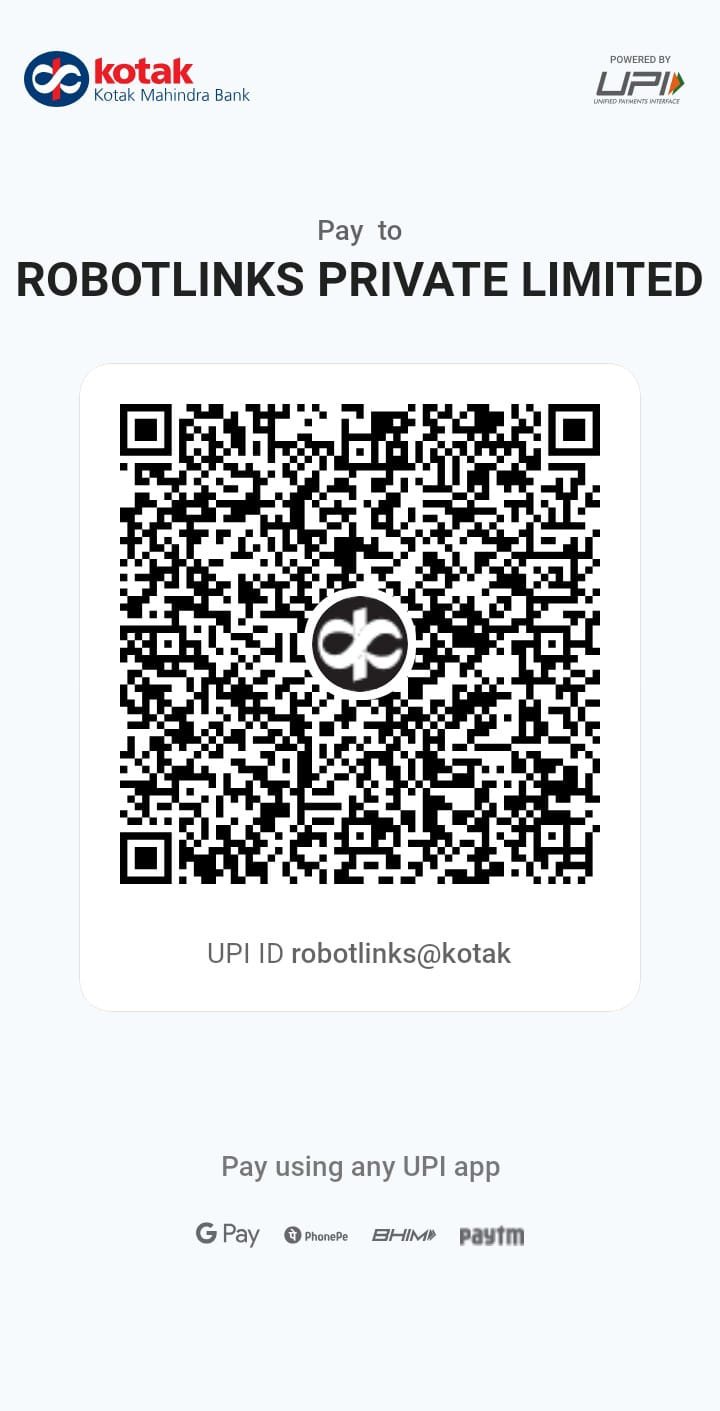
Scan to make UPI Payment
NEFT / Bank Transfer Details
SOHNA ROAD, GURGAON
Gurgaon 122001.
Submit Student Details & Get Acknowledgement
After completing the Excel sheet and making payment, complete the final submission process.
📊 1. Email the Completed Excel Sheet
Attach the filled Excel sheet containing the complete entries of all students participating in FuTech Champ 2026 and send it to:
💬 2. WhatsApp for Acknowledgement & Receipt
After sending the Excel sheet and making the payment, send a WhatsApp message to the TechGuru Guild team. Please include your school name, payment amount, payment date and Transaction/UTR number.
Hello TechGuru Guild Team,
We have completed the registration for FuTech Champ 2026. The filled student Excel sheet has been emailed to support@techguruguild.com and the payment has also been made.
Kindly acknowledge our participation and share the payment receipt.
School Name: ____________________
Payment Amount: __________________
Payment Date: ____________________
Transaction / UTR No.: ____________
Start Your School's Innovation Journey
Designed specifically for principals and school coordinators.
Student Opportunities
Competitions, certifications, workshops and technology learning.
Teacher Support
Resources and programmes designed for educators.
School Recognition
Showcase your institution's commitment to future-ready education.
Our Team Is Ready to Help.
For school registration, payment, Excel submission, acknowledgement or receipt-related support, contact the TechGuru Guild team.
📞 Call 9599669804 💬 WhatsApp Us